Veloso
Pennerly documentation
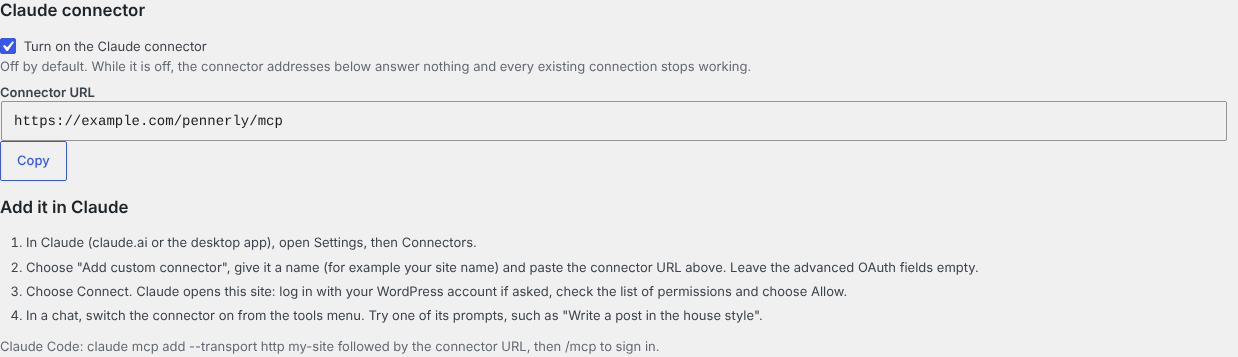
Everything you need to connect your WordPress site to Claude with Pennerly, and what Claude can do once it is connected.
- Getting startedInstall Pennerly, switch the connector on and add your site in Claude.
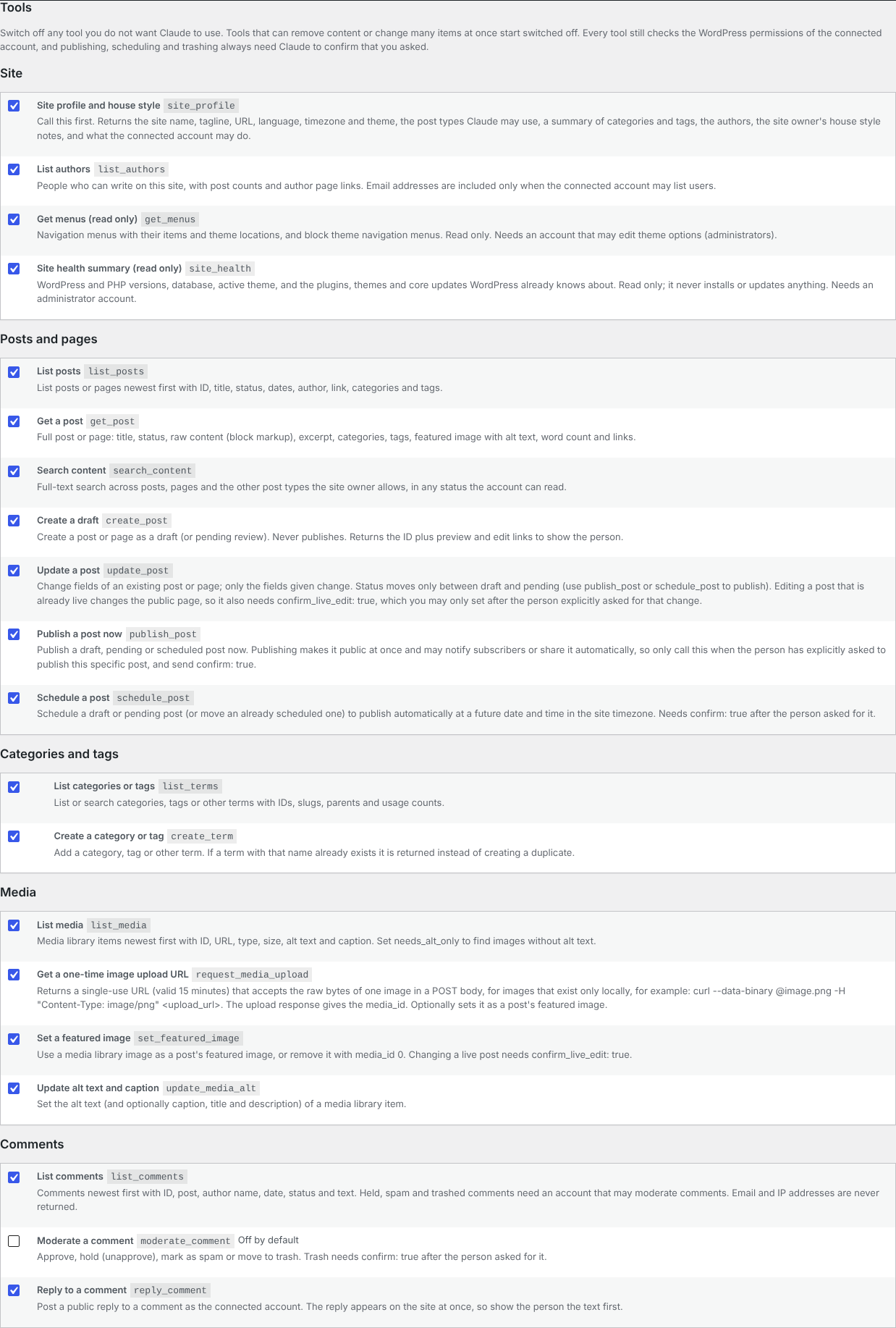
- Tools and skillsEverything Claude can do on your site, and the ready-made prompts.
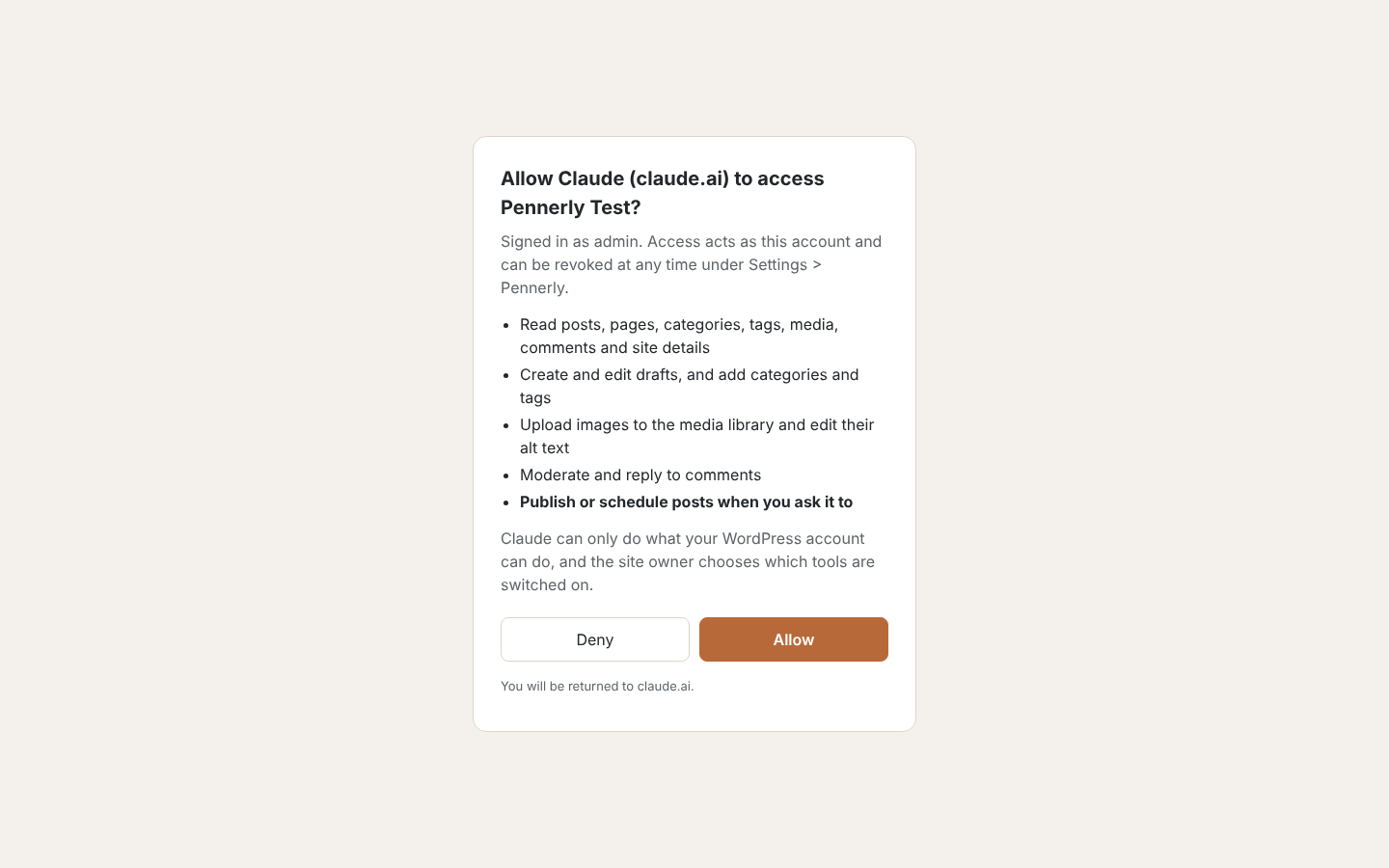
- Safety and permissionsWhat Claude can and can't do, who can connect and how to revoke access.
- Pennerly ProWooCommerce, SEO, bulk edits, revisions and a content calendar.
- Hosting and troubleshootingFirewalls, HTTPS, caches and the Authorization header.
- FAQCommon questions about Pennerly.
- What’s newChanges in each Pennerly version.
In the plugin