Veloso
Tools and skills
Everything Claude can do on your site, and the ready-made prompts.
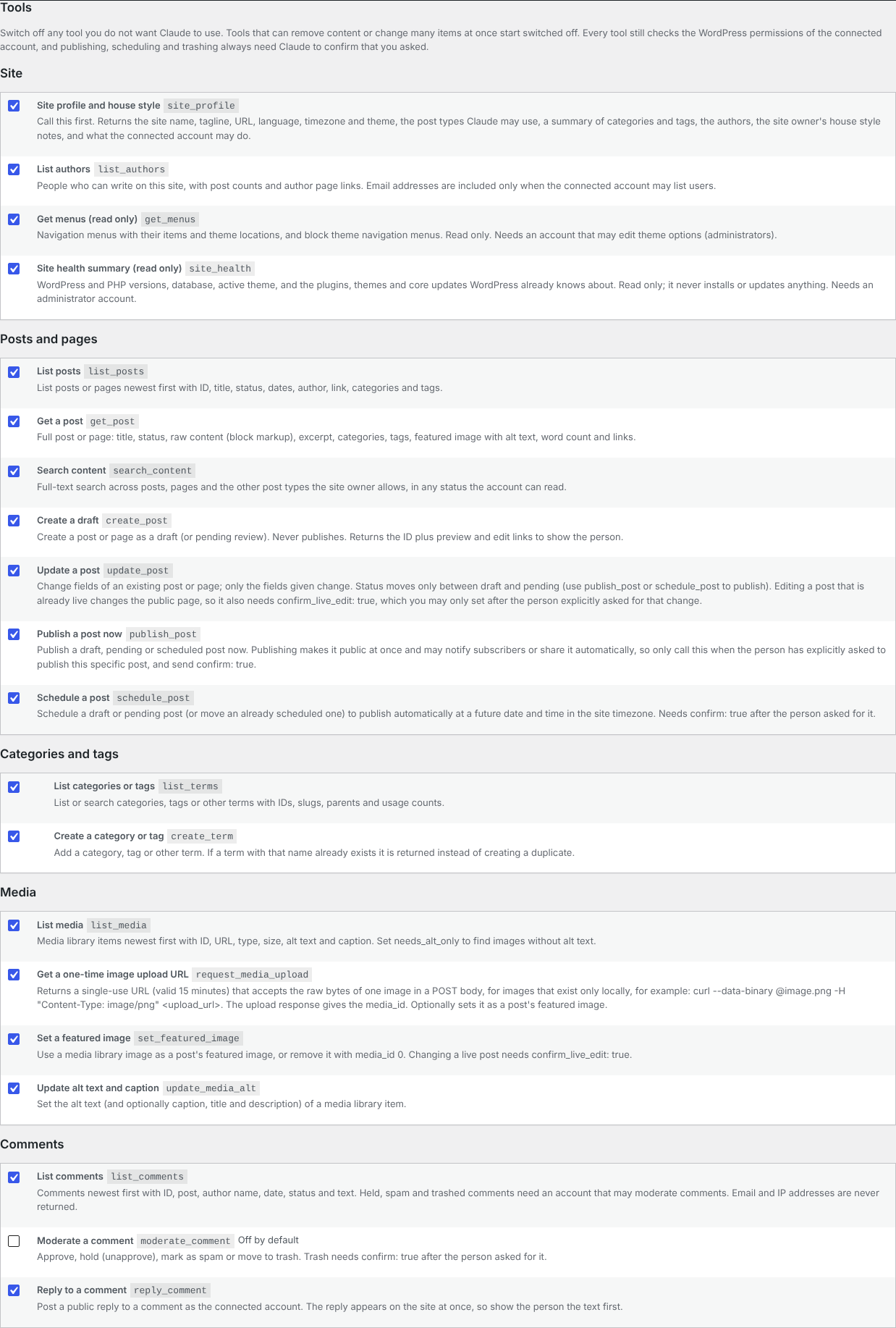
Each tool can be switched off in Settings › Pennerly › Tools. Every tool still checks the WordPress permissions of the person who connected.
Site
- Site profile and house style: name, tagline, language, timezone, theme, post types, categories and tags, authors and your house style notes.
- List authors, Get menus (read only), Site health summary (read only; WordPress and PHP versions and available updates).
Posts and pages
- List posts, Get a post, Search content.
- Create a draft and Update a post: drafts or pending review only. Changing a post that is already live needs your explicit go-ahead.
- Publish a post now and Schedule a post: separate tools that Claude only uses after you ask it to.
Categories, tags, media and comments
- List and create categories and tags (an existing one is reused, never duplicated).
- List media, upload an image through a single-use link, set a featured image, update alt text.
- List comments, reply to a comment and moderate a comment (off by default; moving to trash needs your go-ahead). Email and IP addresses are never shared.
Skills (prompts)
Pennerly adds ready-made prompts to Claude's prompt list: Write a post in the house style, SEO review, Content plan, Refresh an old post and Comment digest. Each one tells Claude which tools to use and when to ask you first.
In the plugin