Veloso
Cost controls
Cap your monthly AI spend and the length of each response.
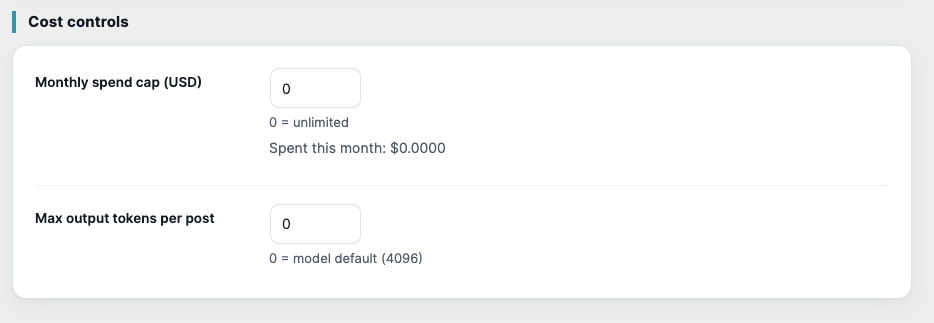
You pay your AI provider directly, so Bylinely helps you keep that bill predictable. In Settings › Cost controls:
- Monthly spend cap (USD): when this month's estimated spend reaches it, generation stops until next month. 0 means unlimited. The settings show Spent this month.
- Max output tokens per post: limits how long a single response can be. 0 uses the model's default (4096).
Spend is a rough estimate worked out from the tokens each post uses; your provider's own dashboard is the source of truth.
In the plugin